NewStori...First & Foremost A Quality News Outlet!
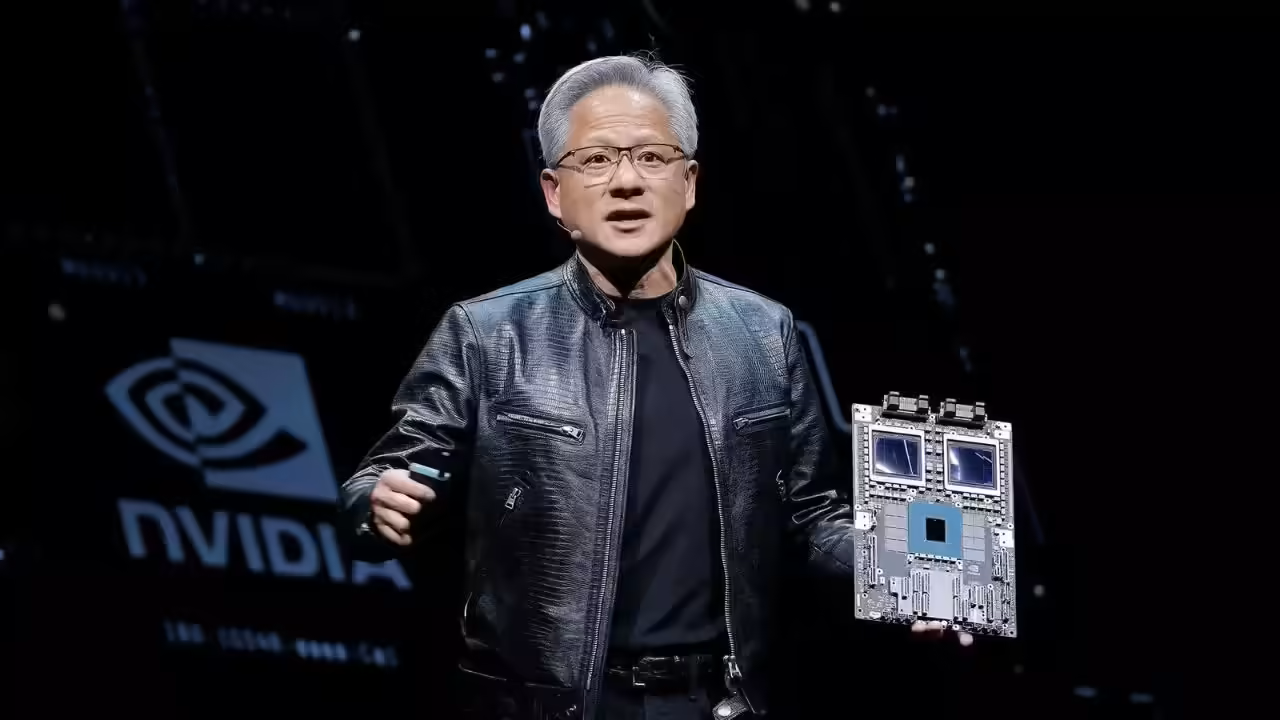
The global race to dominate artificial intelligence has created an enormous divide between organizations that can afford cutting-edge computing power and those that cannot. Universities, nonprofit research labs, and independent scientific institutions often struggle to access the advanced GPU infrastructure needed to train modern AI systems or conduct large-scale computational research. Against that backdrop, a major philanthropic move by the foundation of Jensen Huang and his wife, Lori Huang, has drawn significant attention across the technology and research communities.
According to recent filings and reports, the Jen-Hsun and Lori Huang Foundation has purchased approximately $108.3 million worth of AI cloud computing resources from CoreWeave and donated those resources to universities and nonprofit research institutions. The initiative is intended to support scientific discovery and artificial intelligence research at a time when demand for computational infrastructure has reached unprecedented levels.
The donation immediately became one of the most significant AI infrastructure philanthropy efforts in recent years. It also reinforced the increasingly intertwined relationship between NVIDIA and CoreWeave, a fast-growing cloud infrastructure company that specializes in AI workloads powered largely by Nvidia graphics processing units (GPUs).
The Growing Importance of AI Computing Power
Modern AI development depends heavily on massive computational capacity. Training advanced large language models, scientific simulation systems, medical AI platforms, and complex robotics systems requires thousands of GPUs operating simultaneously across sophisticated cloud infrastructure environments.
For major corporations such as OpenAI, Meta, Google, and Microsoft, access to this infrastructure has become a strategic priority. Universities and nonprofit institutions, however, often face major financial constraints that limit their ability to compete with private industry.
The cost of GPU clusters has skyrocketed in recent years because of exploding demand for AI services. High-end Nvidia chips such as the H100 and Blackwell systems have become among the most sought-after components in the technology sector. As a result, many academic researchers struggle to secure sufficient computing resources to train models, process data, or run experiments at meaningful scale.
The Huang Foundation’s donation directly addresses this challenge by providing institutions with access to cloud-based AI computing instead of requiring them to build expensive in-house supercomputing systems.
According to filings referenced in Reuters reporting, the donated resources will support both scientific and artificial intelligence research initiatives. Nvidia also plans to provide free engineering assistance to some of the organizations receiving the grants.
Why CoreWeave Matters
The decision to purchase the computing resources from CoreWeave is particularly significant because the company has rapidly become one of the most influential players in the AI infrastructure market.
Originally founded as a cryptocurrency mining operation under the name Atlantic Crypto, CoreWeave transformed itself into a GPU cloud-computing company as demand for artificial intelligence processing surged. Today, the company operates large-scale AI-focused data centers across the United States and Europe and provides cloud infrastructure services for major AI firms.
CoreWeave’s business model centers heavily on Nvidia hardware. The company rents access to Nvidia GPUs for AI model training, inference operations, scientific computing, and enterprise machine learning applications. Its infrastructure has become especially attractive to startups and research organizations that cannot afford to build massive proprietary computing systems.
The relationship between Nvidia and CoreWeave has grown dramatically over the last several years. Reuters reported that Nvidia invested approximately $2 billion into CoreWeave earlier in 2026, making Nvidia one of the company’s largest shareholders at the time.
In addition, Nvidia reportedly signed a $6.3 billion agreement guaranteeing purchases of unsold cloud computing capacity from CoreWeave. That arrangement strengthened CoreWeave’s financial stability while ensuring Nvidia access to scalable AI infrastructure capacity.
Because of those deep financial ties, the Huang Foundation’s donation has generated both praise and scrutiny.
Philanthropy or Strategic Ecosystem Building?
Supporters of the initiative argue that the donation reflects a genuine effort to democratize AI research access. Universities and nonprofit institutions increasingly face barriers when attempting to compete with large technology companies that dominate AI infrastructure markets.
The donated cloud capacity could allow researchers to pursue projects involving medical imaging, climate modeling, genomics, robotics, scientific simulations, and advanced AI systems that would otherwise remain financially inaccessible.
Some observers view the move as similar to historical technology philanthropy efforts where wealthy industry leaders funded university laboratories, public computing access, or scientific research infrastructure.
At the same time, critics point out that the donation also benefits Nvidia and CoreWeave strategically. Since CoreWeave relies heavily on Nvidia GPUs, every expansion of CoreWeave’s infrastructure ecosystem reinforces Nvidia’s market dominance in AI computing.
Analysts and investors have increasingly raised concerns about what they describe as “circular financing” within the AI infrastructure industry. Nvidia has invested billions into AI firms and cloud providers that in turn purchase Nvidia hardware or depend on Nvidia-backed infrastructure systems.
Some critics argue that these interconnected investments create an ecosystem where Nvidia effectively supports demand for its own products and services through strategic partnerships and financing relationships.
Still, others contend that such ecosystem-building is common within rapidly growing technology sectors. In industries where infrastructure costs are extraordinarily high, partnerships between chipmakers, cloud providers, and research institutions often become necessary to accelerate innovation.
Expanding Access to Scientific Research
One of the most important aspects of the Huang Foundation initiative is its focus on nonprofit and scientific research organizations rather than purely commercial AI ventures.
Academic institutions increasingly warn that the commercialization of AI infrastructure could marginalize independent scientific inquiry. Large corporations possess the capital needed to train frontier AI models, while universities struggle to secure sufficient GPU access for open scientific research.
By donating cloud computing resources instead of traditional financial grants, the foundation is addressing one of the most immediate bottlenecks in modern AI research: compute scarcity.
Researchers in fields such as physics, chemistry, biology, astronomy, and medicine now depend on AI systems capable of processing enormous datasets and running complex simulations. Access to large-scale GPU infrastructure can dramatically reduce research timelines and enable discoveries that would otherwise be impossible.
According to reporting on the initiative, Nvidia may also provide engineering support to some grant recipients. That assistance could help universities optimize AI workloads, improve model efficiency, and maximize the effectiveness of allocated compute resources.
For smaller institutions without extensive AI engineering teams, such support could prove almost as valuable as the hardware access itself.
Nvidia’s Expanding Influence Over AI Infrastructure
The donation also highlights Nvidia’s extraordinary influence over the global AI economy. Once primarily known as a gaming graphics company, Nvidia has transformed into the dominant supplier of advanced AI acceleration hardware.
Its GPUs power many of the world’s most advanced AI systems, including platforms used by OpenAI, Anthropic, Meta, Microsoft, Google, and scientific research organizations.
As AI infrastructure demand exploded, Nvidia’s market value surged alongside it. Jensen Huang became one of the wealthiest figures in the technology industry as Nvidia emerged at the center of the AI boom.
CoreWeave’s rise similarly reflects the growing importance of specialized AI cloud infrastructure providers. Unlike traditional cloud companies that support broad enterprise workloads, CoreWeave focuses specifically on GPU-intensive AI applications and high-performance computing environments. (
The partnership between Nvidia and CoreWeave therefore represents more than a vendor relationship. It is part of a broader restructuring of global computing infrastructure around artificial intelligence.
The Future of AI Research Accessibility
The Huang Foundation’s $108 million donation may ultimately represent an early example of a larger trend in AI philanthropy. As AI systems become more computationally intensive, access to infrastructure may become one of the defining factors separating elite institutions from underfunded researchers.
Providing compute access rather than direct cash grants could become increasingly common among technology philanthropists and AI companies seeking to influence scientific progress.
The initiative also raises broader questions about the future governance of AI infrastructure. If a small number of corporations control the majority of advanced compute capacity, then partnerships with universities and nonprofits may become essential for maintaining open scientific inquiry.
For now, the donation has been widely viewed as a significant boost for researchers facing mounting infrastructure costs. At the same time, it underscores the growing concentration of power within the AI ecosystem, where companies like Nvidia and CoreWeave increasingly shape not only commercial AI development but also the future direction of scientific research itself.
Oracle Database has been a backbone of enterprise computing for more than four decades, trusted to run some of the world’s most demanding systems in finance, healthcare, telecommunications, and government. With the release of Oracle Database 23ai (previously referred to as 23c), Oracle has repositioned its flagship database not just as a data store, but as a platform for AI-driven, cloud-native, and mission-critical workloads.
This microbook provides a concise overview of Oracle Database 23ai, what makes it different, and where to learn and troubleshoot effectively.
What Is Oracle Database 23ai?
Oracle Database 23ai is Oracle’s latest long-term strategic release, designed to support both on-premises and cloud deployments, including Oracle Cloud Infrastructure (OCI) and hybrid environments. The “ai” branding reflects Oracle’s push to embed AI-ready capabilities directly into the database engine rather than relying on external systems.
At its core, Oracle Database 23ai continues to deliver what Oracle is best known for:
• High availability and reliability
• Strong transactional consistency
• Advanced security
• Extreme scalability
What’s new is how these strengths are being adapted to modern application development and AI workloads.
Key Innovations in Oracle Database 23ai
1. Native AI Vector Support
One of the most significant additions in 23ai is native vector data support, allowing developers to store and query vector embeddings directly in the database. This enables similarity search for AI use cases such as recommendation engines, semantic search, and natural language applications—without introducing a separate vector database.
2. SQL and Developer Productivity Enhancements
Oracle 23ai introduces numerous SQL improvements that reduce complexity and boilerplate. Common tasks now require fewer lines of code, making applications easier to maintain and less error-prone. This focus on developer efficiency reflects Oracle’s acknowledgment that modern systems must evolve faster with smaller teams.
3. JSON Relational Duality
Oracle continues to lead with its unique JSON Relational Duality approach. Developers can work with JSON documents while the database maintains a relational structure underneath, allowing both transactional integrity and schema flexibility. This bridges the gap between traditional enterprise databases and modern app development patterns.
4. Security by Default
Security remains a cornerstone of Oracle Database. Oracle Database 23ai strengthens:
• Always-on encryption
• Fine-grained access control
• Auditing and monitoring
Many features that once required manual configuration are now enabled by default, reducing risk from misconfiguration and helping organizations meet compliance requirements more easily.
5. Cloud and Autonomous Alignment
Oracle Database 23ai is optimized for Autonomous Database and Exadata, allowing automation of tuning, patching, and scaling. While not all organizations use Oracle’s cloud, the architecture benefits even on-prem environments by emphasizing automation and performance efficiency.
Common Use Cases Today
Oracle Database 23ai is commonly used for:
• Enterprise resource planning (ERP) and finance systems
• High-volume transaction processing (OLTP)
• Data warehousing and analytics
• AI-assisted applications and search platforms
• Regulated industries requiring strong security and auditing
Its AI enhancements expand Oracle’s relevance in modern application stacks while preserving backward compatibility with legacy systems.
Learning Oracle Database 23ai
Oracle provides a rich ecosystem of official and community learning resources:
Official Documentation and Learning
• Oracle Database 23ai Documentation
https://docs.oracle.com/en/database/oracle/oracle-database/23/
• Oracle Learning Library (videos, tutorials, and labs)
https://apexapps.oracle.com/pls/apex/f?p=44785:1
• Oracle LiveLabs (free hands-on labs)
https://developer.oracle.com/livelabs
• Oracle Education & Certifications
https://education.oracle.com
Troubleshooting and Community Support
When issues arise, Oracle DBAs and developers rely on a mix of official support and community knowledge:
• My Oracle Support (MOS) – Official Oracle support portal
https://support.oracle.com
• Ask TOM – Oracle expert Q&A, design guidance, and best practices
https://asktom.oracle.com
• Oracle Community Forums
https://forums.oracle.com
• Stack Overflow (Oracle tag) – Practical, real-world problem solving
https://stackoverflow.com/questions/tagged/oracle
Final Thoughts
Oracle Database 23ai represents a strategic evolution rather than a radical departure. It preserves the stability and performance Oracle is known for while embracing AI-ready data models, modern developer workflows, and cloud-optimized architecture. For organizations already invested in Oracle, 23ai provides a clear path forward. For new adopters, it offers a mature, secure platform capable of supporting both traditional enterprise systems and next-generation AI applications.
Mastering Oracle Database 23ai means understanding not just how to run queries, but how data, automation, and intelligence converge inside the database itself—making it a powerful foundation for the next decade of enterprise innovation.