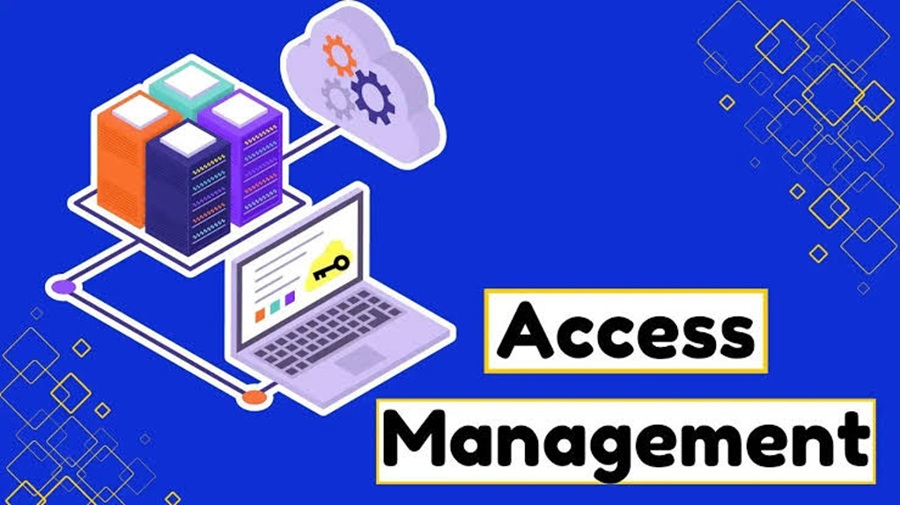
Definitive Guide to Access Management
Access management is the discipline of ensuring that the right person, device, or service gets the right access to the right resource, for the right reason, for the right amount of time—and that access can be monitored and revoked.
It is a core part of identity and access management (IAM), cybersecurity, and governance.
1. What is Access Management?
At its simplest:
Access management answers: “Who can access what, under which conditions, and why?”
For example, in a company:
An employee may access email and HR systems.
A finance employee may access payroll data.
An administrator may configure servers.
A contractor may access one application for 30 days.
A service account may access a database but not a human-facing application.
Access management determines and enforces these boundaries.
Access management vs. identity management
These concepts are closely related but aren't identical.
Concept Main question
Identity management Who is this user, device, or service?
Authentication Can they prove who they are?
Authorization What are they allowed to do?
Access management How is access granted, controlled, monitored, and revoked?
IAM The broader discipline encompassing identity, authentication, authorization, access, and governance
A useful mental model is:
Identity ? Authentication ? Authorization ? Access ? Monitoring ? Revocation
2. The Five Things You Must Identify
When evaluating an organization's access management, identify these five components.
1. Subjects
Who or what is requesting access?
Examples:
Employees
Contractors
Customers
Administrators
Vendors
Applications
APIs
Service accounts
Devices
Workloads
Don't assume access management only concerns human users. Machine identities and service accounts can have extremely powerful access.
2. Resources
What is being accessed?
Examples:
Applications
Databases
Files
APIs
Cloud resources
Servers
SaaS platforms
Network segments
Source-code repositories
Physical facilities
Sensitive records
Create an inventory of important resources before attempting to control access to them.
3. Actions
What can the subject actually do?
Access isn't simply “allowed” or “denied.”
Possible permissions include:
View
Create
Modify
Delete
Download
Execute
Approve
Share
Configure
Administer
A user might legitimately have access to a database but shouldn't necessarily be able to delete records.
4. Policies
What determines whether access is permitted?
Policies can consider:
User identity
Job role
Group membership
Device security
Location
Network
Time
Risk level
Authentication strength
Resource sensitivity
Data classification
Business purpose
For example:
Finance employees can access payroll from managed devices after MFA, but administrators must use a privileged-access workstation.
5. Enforcement and evidence
Finally, determine:
How is the decision enforced, and how do you know it worked?
Look for:
Access-control mechanisms
Authentication systems
Authorization policies
Logs
Alerts
Audit trails
Access reviews
Approval workflows
Revocation mechanisms
If you can't determine who had access, why they had it, and when it was used, your access-management program has a significant visibility gap.
3. The Core Access-Management Lifecycle
A mature access-management system follows a lifecycle:
Join ? Provision ? Use ? Review ? Change ? Revoke
Join
A person or workload enters the environment.
Example:
New employee joins the company.
Provision
Appropriate accounts and permissions are created.
Example:
Employee receives an identity, email account, and access to applications required for their job.
Use
The identity authenticates and accesses resources.
Review
Access is periodically examined.
Example:
Manager confirms that employees still need access to a financial system.
Change
Permissions change when circumstances change.
Examples:
Promotion
Department transfer
New responsibilities
Temporary assignment
Contract expiration
Revoke
Access is removed when it is no longer appropriate.
Examples:
Employee leaves
Contractor's contract ends
Account is compromised
Temporary privilege expires
The most important principle: access should have a lifecycle, rather than becoming permanent by default.
4. Authentication: Proving Identity
Authentication answers:
“Are you really who you claim to be?”
Common authentication factors include:
Something you know
Password
PIN
Something you have
Security key
Authenticator app
Smart card
Something you are
Fingerprint
Facial recognition
Context or risk signals
Modern systems can additionally evaluate:
Device state
Geographic location
Network
Session behavior
Risk indicators
Multi-factor authentication
MFA requires multiple independent authentication factors.
For example:
Password + security key
is stronger than:
Password alone
MFA is particularly important for:
Administrators
Remote access
Cloud environments
Financial systems
Sensitive data
Privileged accounts
5. Authorization: Determining What Users Can Do
Authentication establishes identity.
Authorization establishes permissions.
For example:
Alice successfully authenticates.
That doesn't automatically mean:
Alice can access every application in the organization.
Authorization evaluates policies to determine what Alice can access.
6. Major Access-Control Models
Understanding the authorization model is one of the best ways to identify how an access-management system works.
RBAC — Role-Based Access Control
Permissions are assigned to roles.
Example:
Role: Accountant
Read financial reports
Update invoices
Access accounting application
Users receive the role rather than having every permission assigned individually.
Best for
Organizations with relatively stable job functions.
ABAC — Attribute-Based Access Control
Access decisions use attributes.
Example:
Permit access if department = Finance, device = managed, resource_classification = internal, and location = approved.
Attributes might describe:
User
Device
Resource
Environment
Request
ABAC can provide much more granular control than basic RBAC.
ReBAC — Relationship-Based Access Control
Access depends on relationships.
For example:
A user can edit a document if they are the document's owner or belong to its project team.
This is particularly useful for applications where relationships between users and objects are central.
ACLs — Access Control Lists
A resource contains a list specifying who can perform which actions.
Example:
Identity Permission
Alice Read
Bob Read/Write
Admin Full control
ACLs are common in operating systems, file systems, and network technologies.
Rule-/policy-based access
A policy engine evaluates explicit conditions.
For example:
IF
user.department = "Finance"
AND device.is_managed = true
AND authentication.mfa = true
THEN
allow payroll.read
Modern cloud and zero-trust environments frequently use policy-based decisions.
7. Least Privilege
One of the most important access-management principles is least privilege.
Give an identity only the permissions required to perform its legitimate function.
For example, a developer who needs to read production logs doesn't necessarily need:
Database administrator privileges
Production deployment permissions
Ability to delete infrastructure
Least privilege reduces the potential damage from:
Compromised accounts
Insider threats
Malware
Misconfiguration
Stolen credentials
8. Separation of Duties
Separation of duties (SoD) prevents one person from controlling an entire sensitive process.
For example:
One employee creates a payment, while another approves it.
This reduces fraud and unauthorized changes.
Look for SoD requirements around:
Financial transactions
Production deployments
Security administration
Identity administration
Access approvals
Sensitive data
9. Privileged Access Management
Privileged accounts deserve special treatment.
Examples include:
Domain administrators
Cloud administrators
Database administrators
Root accounts
Security administrators
Infrastructure administrators
A mature privileged access management (PAM) program typically addresses:
Minimizing standing privileges
Strong authentication
Temporary elevation
Approval workflows
Credential protection
Session monitoring
Detailed auditing
A particularly important concept is just-in-time access:
Instead of giving an administrator permanent elevated privileges, grant the privilege only when required and remove it afterward.
10. Zero Trust and Access Management
Zero Trust changes the traditional question from:
“Is this user inside the corporate network?”
to:
“Should this particular request be allowed under the current conditions?”
A zero-trust approach generally emphasizes:
Explicit verification
Least privilege
Continuous evaluation
Strong identity
Device and session context
Segmentation
Monitoring
Being connected to a trusted network should not automatically imply trusted access.
11. Joiner, Mover, Leaver Processes
One of the easiest ways to evaluate access management is to examine three scenarios.
Joiner
When someone joins:
Who creates the identity?
Who approves access?
Is access based on role?
Are default permissions excessive?
Are privileged permissions separately approved?
Mover
When someone changes roles:
Are old permissions removed?
Are new permissions added?
Is there an overlap period?
Who approves the change?
This is frequently overlooked.
A user who moves from Finance to Marketing shouldn't necessarily retain Finance privileges indefinitely.
Leaver
When someone leaves:
How quickly is access disabled?
Are sessions terminated?
Are tokens revoked?
Are VPN credentials removed?
Are API keys and service credentials addressed?
Are SaaS accounts disabled?
Are physical-access permissions removed?
Fast and reliable deprovisioning is one of the strongest indicators of mature access management.
12. Access Reviews
Access reviews answer:
“Does this person still need this permission?”
A review should examine:
Identity
Resource
Permission
Business justification
Approver
Last-use information
Expiration
Risk
A particularly useful question is:
Has this access actually been used?
Unused privileges may represent unnecessary exposure.
13. What to Look for When Identifying Access Management
If you're examining an application, company, architecture, or security program, look for these signals.
Strong indicators
Central identity provider
SSO
MFA
Role-based permissions
Fine-grained authorization
Automated provisioning/deprovisioning
Privileged-access controls
Access reviews
Audit logging
Explicit approval workflows
Temporary access
Least privilege
Separation of duties
Automated lifecycle management
Warning signs
Shared accounts
Permanent administrator privileges
Generic credentials
Manual spreadsheets determining access
Former employees retaining accounts
No MFA for sensitive systems
Everyone having broad permissions
No access reviews
No audit trail
Unknown service accounts
Long-lived API credentials
Permissions accumulated over time
14. A Practical Access-Management Assessment
Use this checklist when evaluating an organization.
Area Key question
Identity inventory Do we know every human and machine identity?
Resource inventory Do we know what needs protection?
Authentication How do identities prove themselves?
MFA Is strong MFA required for sensitive access?
Authorization How are permissions determined?
RBAC/ABAC Is access systematically modeled?
Least privilege Are unnecessary permissions removed?
Privileged access Are administrator privileges controlled?
Lifecycle Is access automatically changed as roles change?
Offboarding Is access promptly revoked?
Reviews Are permissions periodically recertified?
Logging Can access activity be traced?
Monitoring Are suspicious access patterns detected?
Exceptions Are unusual permissions documented and approved?
Service accounts Are non-human identities governed?
Third parties Is vendor access controlled and time-limited?
Governance Are policies and ownership clearly defined?
15. A Simple Access-Management Architecture
A typical modern architecture looks like:
???????????????????
? Identity ?
? Source ?
???????????????????
?
?
???????????????????
? Identity / SSO ?
? Provider ?
???????????????????
?
Authentication
?
?
???????????????????
? Policy / Access ?
? Decision ?
???????????????????
?
Allow / Deny / Elevate
?
?
??????????????????????????????
? Applications ?
? Cloud ? Data ? APIs ? SaaS ?
??????????????????????????????
?
?
???????????????????
? Logging / SIEM ?
? & Monitoring ?
???????????????????
The key distinction is between identity, policy, enforcement, and visibility. A system that authenticates users but doesn't adequately control or monitor their permissions is not a complete access-management solution.
16. Access Management vs. Related Technologies
Technology Primary purpose
IAM Overall identity and access discipline
SSO One authentication experience across applications
MFA Stronger authentication
IGA Identity governance, lifecycle, approvals, reviews
PAM Control of privileged identities and access
CIEM Governance of cloud infrastructure entitlements
PDP Policy decision point
PEP Policy enforcement point
Directory Stores/manages identity information
SIEM Collects and analyzes security events
ZTNA Applies access controls to private applications in a zero-trust model
These technologies overlap, but they solve different parts of the problem.
17. The Definitive Identification Formula
If you need to quickly determine whether something is an access-management capability, ask:
WHO + WHAT + ACTION + CONDITIONS + DECISION + ENFORCEMENT + LIFECYCLE + AUDIT
Specifically:
Who is requesting access?
What resource are they requesting?
What action do they want to perform?
Under what conditions is the request occurring?
What policy makes the decision?
Where is the decision enforced?
How is access provisioned and revoked?
How is the activity recorded and reviewed?
If a system addresses most or all of these questions, you're looking at a genuine access-management capability rather than merely an authentication mechanism.
Bottom line
Access management is not just logging in.
A mature access-management program establishes a controlled relationship between:
Identity ? Resource ? Permission ? Context ? Policy ? Enforcement ? Monitoring ? Revocation
The gold standard is:
Every access decision is attributable, authorized, appropriately limited, continuously observable, and reversible.
That principle works whether you're evaluating an enterprise IAM program, a cloud environment, a SaaS application, an API, or a security architecture.
 95297
95297