NewStori...First & Foremost A Quality News Outlet!
The world of work is changing faster than traditional workforce systems can keep up.
People are no longer building careers through one employer, one job title, and one linear career ladder. Professionals increasingly move between full-time employment, projects, internships, apprenticeships, freelance assignments, fractional roles, entrepreneurship, volunteer work, and continuous learning.
At the same time, employers are becoming more interested in what people can actually do rather than relying exclusively on degrees, job titles, or years of experience.
This creates a critical challenge:
How do we design work experiences that intentionally develop, demonstrate, document, verify, and recognize the competencies people need?
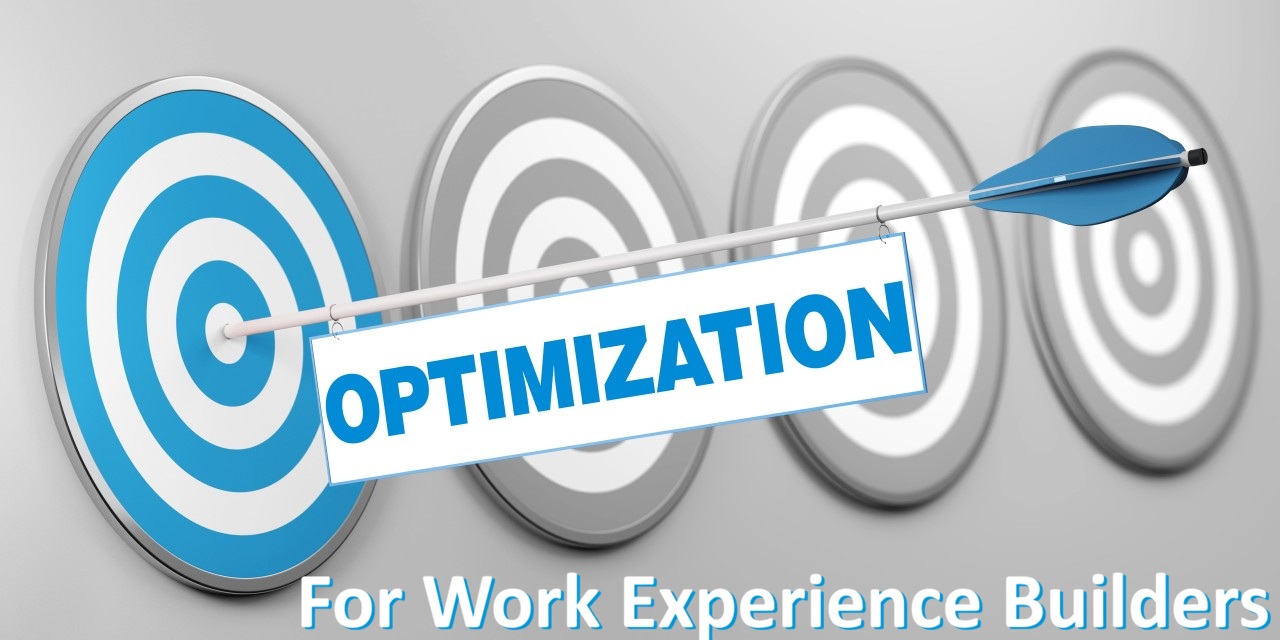
CertificationPoint's proposed answer is WXBEO — Work Experience Builders Engine Optimization.
WXBEO represents a new approach to designing and continuously improving Work Experience Builders so they connect real-world work with skills, competencies, evidence, Skill Attainment Units (SAUs), credentials, and employment opportunities.
What Is WXBEO?
Work Experience Builders Engine Optimization is the process of designing, structuring, measuring, analyzing, and continuously improving Work Experience Builders so that they produce meaningful and verifiable professional capabilities.
A Work Experience Builder can define the experiences a person needs to develop competence in a particular:
• Job role
• Occupation
• Professional service
• Industry
• Skill
• Competency
• Project
• Career pathway
WXBEO then acts as the optimization methodology surrounding those Builders.
The objective is not simply to create a better job description.
It is to answer a much more important question:
What experiences should a person have to become capable of performing this work—and how can those experiences be demonstrated and recognized?
From Job Descriptions to Experience Architecture
Traditional job descriptions are primarily designed to communicate responsibilities to potential applicants.
They might say:
"The IT Manager is responsible for overseeing technology operations, managing vendors, supporting cybersecurity initiatives, and developing technology strategies."
That is useful for hiring, but it does not necessarily explain how someone develops the capability to perform those responsibilities.
A Work Experience Builder can break the role into an experience architecture.
For example:
IT Manager
? Manage technology operations
? Evaluate vendors
? Develop technology plans
? Monitor cybersecurity requirements
? Manage technology projects
? Communicate with executives
Those activities can then be mapped to competencies, evidence requirements, assessments, and potential recognition.
The job description describes the role.
The Work Experience Builder describes the experience pathway.
WXBEO optimizes that pathway.
Why Optimization Matters
Work experiences are not automatically equal.
Two people can hold the same job title while gaining very different levels of experience.
One employee may spend a year performing repetitive tasks.
Another may spend six months leading complex projects, solving problems, producing work products, and working with clients.
Simply recording:
"One year of experience"
doesn't communicate that difference.
WXBEO encourages a more detailed approach:
What did the person do?
How complex was the work?
Which competencies were involved?
What evidence was produced?
Who verified it?
Was the competency actually demonstrated?
This creates a richer representation of professional experience.
WXBEO and Skill Attainment Units
WXBEO also provides a natural connection to CertificationPoint's proposed Skill Attainment Units (SAUs).
The relationship can be structured as:
Work Experience Builder
defines the required experience and competency.
?
Participant
performs the work.
?
Evidence
documents the work.
?
Assessment/Verification
determines whether the competency was demonstrated.
?
SAUs
recognize the applicable skill attainment.
The important principle is that SAUs should represent attainment rather than mere participation.
Completing an activity does not automatically mean someone has mastered a skill.
The evidence and verification requirements must establish what was actually demonstrated.
WXBEO and the Future of Work
The rise of fractional and project-based work makes this approach particularly relevant.
Consider a professional who becomes a fractional marketing manager for a small business.
During the engagement, the professional:
• Develops a marketing strategy.
• Creates a campaign.
• Manages a budget.
• Analyzes campaign performance.
• Presents recommendations to leadership.
Under a conventional resume, this might become one line:
Fractional Marketing Manager — six months.
Under a WXBEO framework, the engagement could produce a structured experience record containing:
• Role
• Responsibilities
• Projects
• Competencies
• Work products
• Client verification
• Assessments
• SAUs
• Credential pathways
The experience becomes portable.
It can contribute to the person's professional identity and potentially qualify them for future opportunities.
WXBEO Creates a Skills-to-Work Connection
One of the most important possibilities is connecting learning directly to employment.
A person may want to become a cybersecurity analyst.
Instead of simply recommending a series of courses, a WXBEO-enabled career pathway could identify:
Target competencies
• Security monitoring
• Threat identification
• Vulnerability analysis
• Incident response
• Security reporting
Learning
The participant completes relevant education.
Experience
The participant performs simulations, projects, internships, or fractional assignments.
Evidence
The participant produces documented work.
Verification
The evidence is evaluated.
Recognition
The participant earns applicable SAUs or credentials.
Opportunity
The participant becomes eligible for increasingly advanced cybersecurity roles.
This creates a continuous pathway between learning and employment.
WXBEO Makes Experience More Discoverable
Search engines transformed how people find information.
WXBEO can pursue a similar transformation for professional experience.
Traditional talent searches often depend heavily on:
• Job titles
• Degrees
• Keywords
• Years of experience
But job titles vary significantly between organizations.
One company may employ a:
Technology Operations Manager
while another uses:
IT Manager
and another uses:
Systems Director.
The titles are different, but the underlying competencies may overlap.
WXBEO can help map the underlying:
Tasks + Responsibilities + Skills + Competencies + Evidence
This makes professional capability more discoverable than title-based systems alone.
WXBEO and CertificationPoint Talent Management
The connection to Talent Management is powerful.
Instead of asking:
"Who has the job title we need?"
an employer can increasingly ask:
"Who has demonstrated the competencies required for this opportunity?"
A talent system can consider:
• Demonstrated competencies
• Work experience
• SAUs
• Credentials
• Evidence
• Recency
• Complexity
• Availability
• Career interests
This creates the possibility of more precise talent matching.
WXBEO and CP Social
WXBEO can also provide the underlying professional capability data for CP Social.
Imagine a professional profile that doesn't simply say:
Project Manager
Instead, it shows:
Project Management
• 32 recognized SAUs
• 14 demonstrated competencies
• 6 verified projects
• 2 relevant credentials
• Current professional development
• Available for fractional opportunities
The participant can share accomplishments, projects, and professional content while connecting those activities to structured experience and competency information.
CP Social becomes the social and professional identity layer.
WXBEO becomes part of the experience architecture underneath it.
WXBEO and Artificial Intelligence
Artificial intelligence creates another major opportunity.
AI can analyze large quantities of:
• Job descriptions
• Employer requirements
• Occupational data
• Skills
• Competencies
• Work activities
• Learning outcomes
• Assessment results
• Talent profiles
AI could help identify emerging requirements and suggest where a Work Experience Builder needs improvement.
For example, if employers increasingly request:
AI-assisted data analysis
but an existing Data Analyst Builder does not contain that competency, the system could flag the gap for human review.
AI can therefore support continuous Builder optimization.
Human governance remains essential, particularly when determining competency standards, evidence requirements, assessments, or credential decisions.
Measuring the Quality of a Work Experience Builder
WXBEO can introduce measurable quality criteria.
A Builder could be evaluated for:
Relevance
Does it reflect current workplace requirements?
Competency Alignment
Are activities connected to meaningful competencies?
Evidence Quality
Can participants produce credible evidence?
Assessment Quality
Can competency actually be evaluated?
Employer Validation
Do employers recognize the experience as relevant?
Participant Outcomes
Does completion lead to meaningful development or opportunity?
Currency
How frequently does the Builder need updating?
These measures turn the Work Experience Builder into something that can be continuously improved.
The WXBEO Optimization Cycle
A mature WXBEO process can follow a continuous cycle:
Identify
What role or competency is being addressed?
?
Analyze
What does the workplace actually require?
?
Build
Create the Work Experience Builder.
?
Map
Connect activities to competencies.
?
Experience
Let participants perform the work.
?
Capture
Collect evidence.
?
Verify
Validate the experience and competency.
?
Recognize
Award applicable SAUs or credentials.
?
Measure
Analyze outcomes.
?
Optimize
Improve the Builder.
?
Repeat
This makes WXBEO a continuous improvement system rather than a one-time development exercise.
WXBEO and Career Mobility
Another major benefit is helping people understand how their current experience can transfer to future careers.
For example, someone working in customer service may already possess competencies in:
• Communication
• Problem solving
• Customer relationship management
• Documentation
• Conflict resolution
WXBEO can help identify adjacent roles where those competencies are valuable.
The system can then identify the missing capabilities required for a target role and recommend:
• Learning
• Projects
• Work experiences
• Mentoring
• Assessments
• Fractional opportunities
This creates a competency-based career navigation system.
From Resume to Experience Record
The traditional resume is static.
WXBEO supports the idea of a dynamic Experience Record.
Instead of simply listing:
"Project Manager — 2024–2026"
the record can describe:
• Projects completed
• Responsibilities performed
• Competencies demonstrated
• Evidence generated
• Verification completed
• SAUs attained
• Credentials earned
• New competencies under development
The result is a much richer professional story.
Building an Experience Economy
The larger vision behind WXBEO is an experience economy in which professional experience becomes more measurable, portable, and valuable.
People accumulate experience throughout their lives.
They learn from:
• Jobs
• Projects
• Internships
• Apprenticeships
• Volunteer activities
• Freelance work
• Fractional engagements
• Entrepreneurship
• Community activities
Much of this experience is currently difficult to compare or verify.
WXBEO provides a framework for transforming experience into structured professional information.
The CertificationPoint WXBEO Ecosystem
WXBEO can connect multiple CertificationPoint components:
Work Experience Builders
Define meaningful experience.
?
WXBEO
Optimizes the experience architecture.
?
Participants
Perform the work.
?
Evidence & Verification
Demonstrate capability.
?
SAUs
Recognize skill attainment.
?
Credentials
Recognize larger competency achievements.
?
CP Social
Builds professional identity and community.
?
Talent Management
Connects capabilities to opportunities.
?
Fractional Work
Creates new opportunities to gain experience.
?
Analytics
Improve the Builders.
The result is a continuously connected learning-and-work ecosystem.
The Future of Work Experience
The future of workforce development may depend less on simply counting years of experience and more on understanding the quality and relevance of that experience.
WXBEO offers a framework for asking better questions:
What did the person actually do?
What did they learn?
What competencies did they demonstrate?
What evidence supports the claim?
Who verified it?
How current is the capability?
What opportunities does it qualify them for next?
These questions can transform the way organizations think about workforce development.
Conclusion
Work Experience Builder Engine Optimization is ultimately about making experience more intentional, measurable, discoverable, verifiable, and valuable.
It connects the worlds of education and employment by creating an architecture in which people can:
Learn ? Experience ? Demonstrate ? Verify ? Attain ? Credential ? Connect ? Advance.
For CertificationPoint, WXBEO can become the optimization discipline behind an ecosystem that brings together Work Experience Builders, SAUs, credentials, CP Social, Talent Management, fractional work, and lifelong professional development.
The fundamental idea is simple:
Don't just document that someone worked. Design and optimize the experience so that the work develops demonstrable capability—and make that capability visible to the next opportunity.
That is the promise of WXBEO: turning work experience from a static line on a resume into a structured, measurable, continuously optimized asset for lifelong career development.
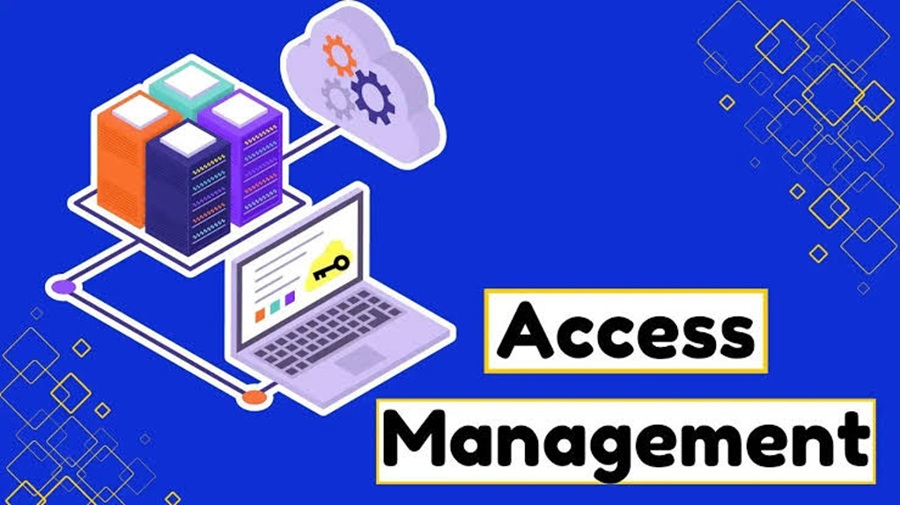
Access management is the discipline of ensuring that the right person, device, or service gets the right access to the right resource, for the right reason, for the right amount of time—and that access can be monitored and revoked.
It is a core part of identity and access management (IAM), cybersecurity, and governance.
1. What is Access Management?
At its simplest:
Access management answers: “Who can access what, under which conditions, and why?”
For example, in a company:
An employee may access email and HR systems.
A finance employee may access payroll data.
An administrator may configure servers.
A contractor may access one application for 30 days.
A service account may access a database but not a human-facing application.
Access management determines and enforces these boundaries.
Access management vs. identity management
These concepts are closely related but aren't identical.
Concept Main question
Identity management Who is this user, device, or service?
Authentication Can they prove who they are?
Authorization What are they allowed to do?
Access management How is access granted, controlled, monitored, and revoked?
IAM The broader discipline encompassing identity, authentication, authorization, access, and governance
A useful mental model is:
Identity ? Authentication ? Authorization ? Access ? Monitoring ? Revocation
2. The Five Things You Must Identify
When evaluating an organization's access management, identify these five components.
1. Subjects
Who or what is requesting access?
Examples:
Employees
Contractors
Customers
Administrators
Vendors
Applications
APIs
Service accounts
Devices
Workloads
Don't assume access management only concerns human users. Machine identities and service accounts can have extremely powerful access.
2. Resources
What is being accessed?
Examples:
Applications
Databases
Files
APIs
Cloud resources
Servers
SaaS platforms
Network segments
Source-code repositories
Physical facilities
Sensitive records
Create an inventory of important resources before attempting to control access to them.
3. Actions
What can the subject actually do?
Access isn't simply “allowed” or “denied.”
Possible permissions include:
View
Create
Modify
Delete
Download
Execute
Approve
Share
Configure
Administer
A user might legitimately have access to a database but shouldn't necessarily be able to delete records.
4. Policies
What determines whether access is permitted?
Policies can consider:
User identity
Job role
Group membership
Device security
Location
Network
Time
Risk level
Authentication strength
Resource sensitivity
Data classification
Business purpose
For example:
Finance employees can access payroll from managed devices after MFA, but administrators must use a privileged-access workstation.
5. Enforcement and evidence
Finally, determine:
How is the decision enforced, and how do you know it worked?
Look for:
Access-control mechanisms
Authentication systems
Authorization policies
Logs
Alerts
Audit trails
Access reviews
Approval workflows
Revocation mechanisms
If you can't determine who had access, why they had it, and when it was used, your access-management program has a significant visibility gap.
3. The Core Access-Management Lifecycle
A mature access-management system follows a lifecycle:
Join ? Provision ? Use ? Review ? Change ? Revoke
Join
A person or workload enters the environment.
Example:
New employee joins the company.
Provision
Appropriate accounts and permissions are created.
Example:
Employee receives an identity, email account, and access to applications required for their job.
Use
The identity authenticates and accesses resources.
Review
Access is periodically examined.
Example:
Manager confirms that employees still need access to a financial system.
Change
Permissions change when circumstances change.
Examples:
Promotion
Department transfer
New responsibilities
Temporary assignment
Contract expiration
Revoke
Access is removed when it is no longer appropriate.
Examples:
Employee leaves
Contractor's contract ends
Account is compromised
Temporary privilege expires
The most important principle: access should have a lifecycle, rather than becoming permanent by default.
4. Authentication: Proving Identity
Authentication answers:
“Are you really who you claim to be?”
Common authentication factors include:
Something you know
Password
PIN
Something you have
Security key
Authenticator app
Smart card
Something you are
Fingerprint
Facial recognition
Context or risk signals
Modern systems can additionally evaluate:
Device state
Geographic location
Network
Session behavior
Risk indicators
Multi-factor authentication
MFA requires multiple independent authentication factors.
For example:
Password + security key
is stronger than:
Password alone
MFA is particularly important for:
Administrators
Remote access
Cloud environments
Financial systems
Sensitive data
Privileged accounts
5. Authorization: Determining What Users Can Do
Authentication establishes identity.
Authorization establishes permissions.
For example:
Alice successfully authenticates.
That doesn't automatically mean:
Alice can access every application in the organization.
Authorization evaluates policies to determine what Alice can access.
6. Major Access-Control Models
Understanding the authorization model is one of the best ways to identify how an access-management system works.
RBAC — Role-Based Access Control
Permissions are assigned to roles.
Example:
Role: Accountant
Read financial reports
Update invoices
Access accounting application
Users receive the role rather than having every permission assigned individually.
Best for
Organizations with relatively stable job functions.
ABAC — Attribute-Based Access Control
Access decisions use attributes.
Example:
Permit access if department = Finance, device = managed, resource_classification = internal, and location = approved.
Attributes might describe:
User
Device
Resource
Environment
Request
ABAC can provide much more granular control than basic RBAC.
ReBAC — Relationship-Based Access Control
Access depends on relationships.
For example:
A user can edit a document if they are the document's owner or belong to its project team.
This is particularly useful for applications where relationships between users and objects are central.
ACLs — Access Control Lists
A resource contains a list specifying who can perform which actions.
Example:
Identity Permission
Alice Read
Bob Read/Write
Admin Full control
ACLs are common in operating systems, file systems, and network technologies.
Rule-/policy-based access
A policy engine evaluates explicit conditions.
For example:
IF
user.department = "Finance"
AND device.is_managed = true
AND authentication.mfa = true
THEN
allow payroll.read
Modern cloud and zero-trust environments frequently use policy-based decisions.
7. Least Privilege
One of the most important access-management principles is least privilege.
Give an identity only the permissions required to perform its legitimate function.
For example, a developer who needs to read production logs doesn't necessarily need:
Database administrator privileges
Production deployment permissions
Ability to delete infrastructure
Least privilege reduces the potential damage from:
Compromised accounts
Insider threats
Malware
Misconfiguration
Stolen credentials
8. Separation of Duties
Separation of duties (SoD) prevents one person from controlling an entire sensitive process.
For example:
One employee creates a payment, while another approves it.
This reduces fraud and unauthorized changes.
Look for SoD requirements around:
Financial transactions
Production deployments
Security administration
Identity administration
Access approvals
Sensitive data
9. Privileged Access Management
Privileged accounts deserve special treatment.
Examples include:
Domain administrators
Cloud administrators
Database administrators
Root accounts
Security administrators
Infrastructure administrators
A mature privileged access management (PAM) program typically addresses:
Minimizing standing privileges
Strong authentication
Temporary elevation
Approval workflows
Credential protection
Session monitoring
Detailed auditing
A particularly important concept is just-in-time access:
Instead of giving an administrator permanent elevated privileges, grant the privilege only when required and remove it afterward.
10. Zero Trust and Access Management
Zero Trust changes the traditional question from:
“Is this user inside the corporate network?”
to:
“Should this particular request be allowed under the current conditions?”
A zero-trust approach generally emphasizes:
Explicit verification
Least privilege
Continuous evaluation
Strong identity
Device and session context
Segmentation
Monitoring
Being connected to a trusted network should not automatically imply trusted access.
11. Joiner, Mover, Leaver Processes
One of the easiest ways to evaluate access management is to examine three scenarios.
Joiner
When someone joins:
Who creates the identity?
Who approves access?
Is access based on role?
Are default permissions excessive?
Are privileged permissions separately approved?
Mover
When someone changes roles:
Are old permissions removed?
Are new permissions added?
Is there an overlap period?
Who approves the change?
This is frequently overlooked.
A user who moves from Finance to Marketing shouldn't necessarily retain Finance privileges indefinitely.
Leaver
When someone leaves:
How quickly is access disabled?
Are sessions terminated?
Are tokens revoked?
Are VPN credentials removed?
Are API keys and service credentials addressed?
Are SaaS accounts disabled?
Are physical-access permissions removed?
Fast and reliable deprovisioning is one of the strongest indicators of mature access management.
12. Access Reviews
Access reviews answer:
“Does this person still need this permission?”
A review should examine:
Identity
Resource
Permission
Business justification
Approver
Last-use information
Expiration
Risk
A particularly useful question is:
Has this access actually been used?
Unused privileges may represent unnecessary exposure.
13. What to Look for When Identifying Access Management
If you're examining an application, company, architecture, or security program, look for these signals.
Strong indicators
Central identity provider
SSO
MFA
Role-based permissions
Fine-grained authorization
Automated provisioning/deprovisioning
Privileged-access controls
Access reviews
Audit logging
Explicit approval workflows
Temporary access
Least privilege
Separation of duties
Automated lifecycle management
Warning signs
Shared accounts
Permanent administrator privileges
Generic credentials
Manual spreadsheets determining access
Former employees retaining accounts
No MFA for sensitive systems
Everyone having broad permissions
No access reviews
No audit trail
Unknown service accounts
Long-lived API credentials
Permissions accumulated over time
14. A Practical Access-Management Assessment
Use this checklist when evaluating an organization.
Area Key question
Identity inventory Do we know every human and machine identity?
Resource inventory Do we know what needs protection?
Authentication How do identities prove themselves?
MFA Is strong MFA required for sensitive access?
Authorization How are permissions determined?
RBAC/ABAC Is access systematically modeled?
Least privilege Are unnecessary permissions removed?
Privileged access Are administrator privileges controlled?
Lifecycle Is access automatically changed as roles change?
Offboarding Is access promptly revoked?
Reviews Are permissions periodically recertified?
Logging Can access activity be traced?
Monitoring Are suspicious access patterns detected?
Exceptions Are unusual permissions documented and approved?
Service accounts Are non-human identities governed?
Third parties Is vendor access controlled and time-limited?
Governance Are policies and ownership clearly defined?
15. A Simple Access-Management Architecture
A typical modern architecture looks like:
???????????????????
? Identity ?
? Source ?
???????????????????
?
?
???????????????????
? Identity / SSO ?
? Provider ?
???????????????????
?
Authentication
?
?
???????????????????
? Policy / Access ?
? Decision ?
???????????????????
?
Allow / Deny / Elevate
?
?
??????????????????????????????
? Applications ?
? Cloud ? Data ? APIs ? SaaS ?
??????????????????????????????
?
?
???????????????????
? Logging / SIEM ?
? & Monitoring ?
???????????????????
The key distinction is between identity, policy, enforcement, and visibility. A system that authenticates users but doesn't adequately control or monitor their permissions is not a complete access-management solution.
16. Access Management vs. Related Technologies
Technology Primary purpose
IAM Overall identity and access discipline
SSO One authentication experience across applications
MFA Stronger authentication
IGA Identity governance, lifecycle, approvals, reviews
PAM Control of privileged identities and access
CIEM Governance of cloud infrastructure entitlements
PDP Policy decision point
PEP Policy enforcement point
Directory Stores/manages identity information
SIEM Collects and analyzes security events
ZTNA Applies access controls to private applications in a zero-trust model
These technologies overlap, but they solve different parts of the problem.
17. The Definitive Identification Formula
If you need to quickly determine whether something is an access-management capability, ask:
WHO + WHAT + ACTION + CONDITIONS + DECISION + ENFORCEMENT + LIFECYCLE + AUDIT
Specifically:
Who is requesting access?
What resource are they requesting?
What action do they want to perform?
Under what conditions is the request occurring?
What policy makes the decision?
Where is the decision enforced?
How is access provisioned and revoked?
How is the activity recorded and reviewed?
If a system addresses most or all of these questions, you're looking at a genuine access-management capability rather than merely an authentication mechanism.
Bottom line
Access management is not just logging in.
A mature access-management program establishes a controlled relationship between:
Identity ? Resource ? Permission ? Context ? Policy ? Enforcement ? Monitoring ? Revocation
The gold standard is:
Every access decision is attributable, authorized, appropriately limited, continuously observable, and reversible.
That principle works whether you're evaluating an enterprise IAM program, a cloud environment, a SaaS application, an API, or a security architecture.